
Coloring Games for Kids: Color
IDZ Digital Private LimitedEducational
4.6265.00 Reviews
- Version
- 5.31.0
- Installs
- 10.00M
- Age Rating
- Everyone
Screenshots
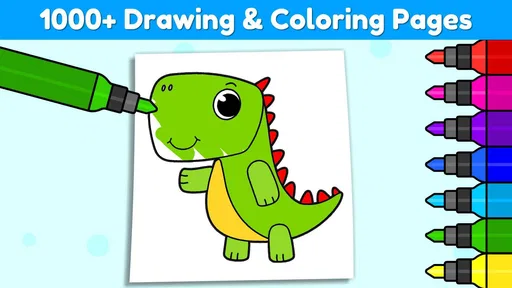
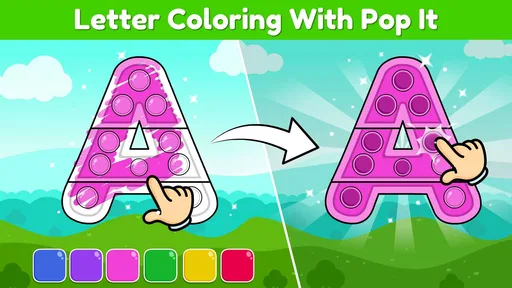
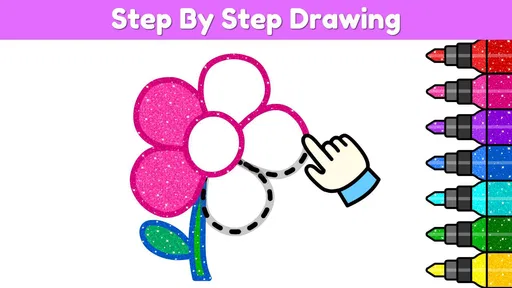
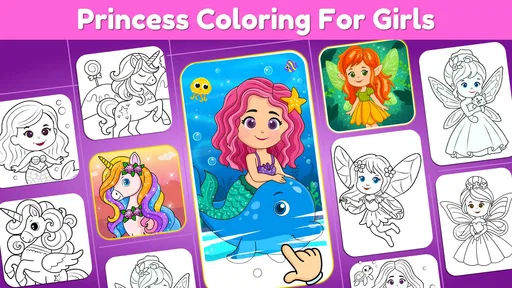
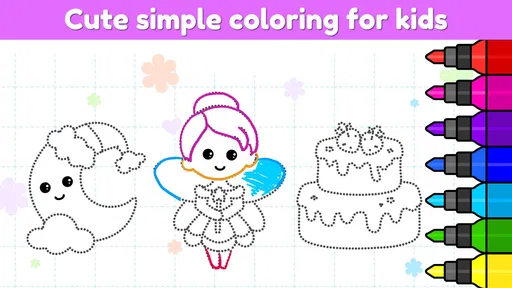
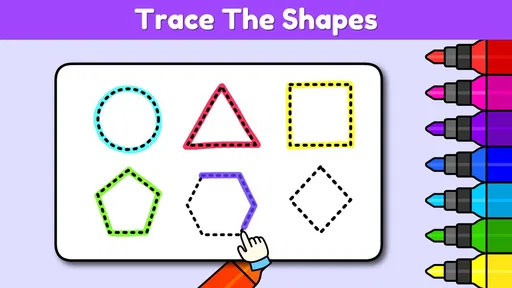
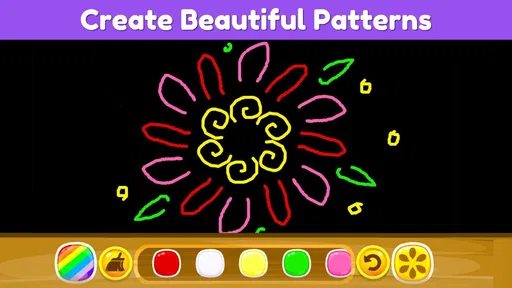
Our Review of Coloring Games for Kids: Color
 Analysis by Appyee
For a household that shares a phone or tablet, a coloring game can be a useful little pause in the day: one child can settle into a picture while an adult gets a meal ready or waits for an appointment. I see Coloring Games for Kids: Color as best suited to those short, low-pressure moments, rather than as a replacement for paper, crayons, or a more involved art activity. Its appeal is immediate: choose a picture, pick a color, and start filling in the image.
One device, different kinds of play
Shared-device use is where a simple coloring activity makes practical sense. A younger child can enjoy choosing colors without needing to understand a complicated game, while an older sibling can take more time with a picture and make deliberate choices. The same screen can support both approaches, but I would still treat each turn as a separate activity: pass the device over when one child is done instead of expecting siblings to collaborate on one picture. That keeps the interaction straightforward and avoids turning a relaxing game into a dispute about whose turn it is to choose.
A realistic use for me would be keeping the game ready for a restaurant wait or the few minutes before leaving the house. I would set expectations first—one picture, or a short turn—because a large selection can make it tempting to keep browsing rather than finish. For a child who finds transitions difficult, giving a clear stopping point before handing over the device may work better than asking them to stop unexpectedly. The game can occupy a gap, but it does not make screen time self-limiting.
Set up the device before handing it over
I would spend a moment checking the screen and the purchase settings before a child starts playing. The game is free to download, with optional in-app purchases priced from $1.99 to $19.99 per item, so it is sensible to use the device’s own purchase protections and avoid leaving a payment step within easy reach. I would not assume that a child-facing design automatically means every purchase or device setting is handled for you. A quick adult check is a more reliable boundary than relying on a young player to distinguish an optional purchase from part of the activity.
On a shared phone, I would also close unrelated apps and decide whether the child can use the device without supervision. That is ordinary household device management, not a special family-control feature I would attribute to the game. If the device belongs to more than one person, keeping the activity within a short, agreed turn can help protect the owner’s messages, work, and personal settings. These small steps matter more than elaborate rules for a game whose main activity is tapping colors onto pictures.
Keep turns simple and expectations realistic
Coloring can feel like a calm shared activity, but children do not all use it in the same way. One may tap quickly and move on; another may want to spend time deciding which shade belongs where. I would avoid comparing the finished pictures or treating neatness as a measure of ability. The useful part is the child’s choice-making and practice, not producing an image that looks like an adult’s idea of a finished drawing.
There is also a practical trade-off between a large choice of pages and easy decision-making. When a child is eager to start, too much browsing can become its own distraction. I find it helps to offer two or three choices verbally, then let the child pick one on the screen. That preserves their independence without asking them to scan a broad collection when they mainly want to begin coloring. For siblings, a simple turn-taking agreement works better than assuming the game itself will coordinate who plays next.
Age, trust, and what the game can teach
The game is rated Everyone, which makes it broadly suitable for a family audience, but age rating is only one part of deciding whether it fits a particular child. A toddler may need an adult nearby to guide the taps and keep the device steady; a school-age child may be comfortable exploring alone for a while. In either case, I would judge readiness by how the child handles the screen and stopping time, rather than treating the rating as a recommendation for unsupervised use.
As an educational game, it offers a gentle opportunity to talk about colors, shapes, and choices. I would use it as a prompt rather than expect it to teach art skills on its own: ask why a child chose a color, invite them to describe what they are making, or notice how two different choices change the look of a picture. If the goal is drawing from imagination, a blank page and physical materials are a better fit. If the goal is an easy way to practice color recognition through a guided activity, the game has a more suitable role.
How the coloring experience holds up
First things first, let's talk about what makes Coloring Games for Kids: Color stand out. This app is a treasure trove for young creative minds. It’s packed with a variety of coloring pages that range from simple shapes to more intricate designs, allowing kids to express their artistic flair. The interface is intuitive, making it easy for little fingers to navigate without much help from mom or dad. Trust me, once your kids get the hang of it, they’ll be off on their own colorful adventures!
Easy to Use and Kid-Friendly
The user experience is top-notch. The developers did a fantastic job of crafting an interface that's both visually appealing and straightforward. Even if your kids are just starting to get the hang of using a tablet or smartphone, they’ll find this app a breeze to use. All they need to do is tap on a color, then tap on the part of the picture they want to color. It’s as simple as that. Plus, the app's vibrant graphics are sure to capture their attention and keep them entertained for hours.
That tap-to-fill approach is also a useful distinction from free-drawing tools. It lowers the barrier for a child who wants to see a finished, colorful result without first mastering how to hold a stylus or draw a recognizable shape. The trade-off is that filling preset regions is not the same practice as controlling a pencil or planning a picture from a blank page. I would choose this when ease and a quick sense of completion matter, and reach for paper or a basic drawing canvas when the child wants to invent the image themselves.
A Great Learning Tool
One of the things I absolutely love about this app is how it doubles as a learning tool. It’s not just about filling in colors; it's also about learning. The app subtly teaches kids about color recognition, fine motor skills, and even a bit of art appreciation. And hey, who doesn’t love a little sneaky learning while having fun? It’s like hiding veggies in their favorite meal!
For a more useful learning moment, I would ask a child to name a color before tapping it, or to find a second object they think could use the same shade. That turns a quick session into a small conversation without making play feel like a lesson. I would keep expectations modest, though: the activity can support recognition and purposeful tapping, but it is not a structured course in drawing, color theory, or handwriting. If a child is practicing grip and pencil control, real crayons still provide feedback a touchscreen cannot.
Endless Variety and Themes
Now, let’s move on to the selection. The app offers a wide range of themes to choose from. Whether your little one is into animals, fairy tales, or vehicles, there’s something for everyone. This variety ensures that kids never get bored and always have something new to look forward to. Plus, the app frequently updates with new content, which is a huge bonus. It keeps things fresh and exciting, ensuring your kids will keep coming back for more.
The breadth of choice is a strength, but it can also make the first few minutes less focused. I would guide a child toward a theme they already enjoy instead of scrolling through the whole collection at once. The game is described as offering more than a thousand coloring activities, so a child who likes to return to familiar subjects may appreciate having plenty to explore; a child who prefers one carefully curated set may find that scale less appealing. Variety is most valuable when it makes it easier to find a motivating picture, not when browsing becomes the main event.
It is also worth separating “many pages” from “many kinds of creativity.” A wide library can keep the activity feeling fresh, but the basic interaction remains coloring existing artwork. If a child wants to design characters, write a story alongside a picture, or freely sketch a scene, a dedicated drawing app or art supplies will offer more room for that. I would use this game as an accessible coloring choice rather than expect its range of themes to make it a full creative studio.
Parental Controls and Safety
As a parent, safety is always a top concern. Thankfully, Coloring Games for Kids: Color doesn’t disappoint. The app is designed with parental controls in mind, ensuring a safe and controlled environment for your child to play in. There are no pesky ads popping up, which means fewer distractions and a smoother experience for your kids. Plus, the app ensures that any in-app purchases are protected by a parental lock, so no surprise charges!
For trust and boundaries, I would focus on what I can check directly on the device rather than assume every household setting is built into the game. A child should know that purchases are for an adult to handle, and an adult should verify the device’s purchase authentication before lending it out. That is especially useful when several children share one device, because the person who owns the payment account may not be the person playing. Keeping that distinction clear avoids confusing “free to start” with “everything is included.”
The game is free, and its developer is IDZ Digital Private Limited. It has a 4.6 average from around 28,000 ratings, while the total number of installs is over 10 million. Those figures suggest that it has reached a broad audience, but they do not tell me whether every child will enjoy its particular style of play. I would still base the choice on whether a child likes filling outlined pictures and whether the family is comfortable managing optional purchases on its device.
Offline Mode for On-the-Go Fun
Another feature that’s worth mentioning is the offline mode. Whether you’re on a long car ride, in a waiting room, or somewhere without Wi-Fi, your kids can still enjoy coloring to their heart’s content. This feature makes it a perfect companion for travel or any situation where you need a quick and quiet activity for your kids.
For travel, I would test the activity before relying on it as the plan for a long stretch. A familiar picture can be a useful quiet option in a waiting room, but it is still screen-based, and a child may tire of it or ask for help choosing what to color. Pairing it with a book, conversation, or a small physical activity gives you a backup and helps avoid making one app responsible for the whole journey. I would also keep the device charged and set a stopping point before handing it over, especially when the next step is getting out of the car or moving on to an appointment.
The current version is 5.22.1, and it runs on Android 6.0 or later. That makes checking the device’s system version a sensible first step if you are considering an older phone or tablet. The game was released on June 26, 2019, and its continuing version history is reflected in the version available now; for a family, the practical question is simply whether the device can run it and whether its screen is comfortable for a child to use.
Who will enjoy it, and who may prefer something else
I would recommend it most to families looking for a straightforward activity that a child can understand quickly, particularly when the aim is to occupy a short gap or make color choices without a complicated setup. It can also suit a child who enjoys familiar themes and the satisfaction of completing a picture. The game’s educational angle is strongest when an adult occasionally joins in with questions or conversation, rather than expecting the app to replace shared play or hands-on art.
I would skip it for a child who is frustrated by preset pictures, wants to draw freely, or needs a screen-free way to settle. It may also be a poor match for households that do not want optional purchases in children’s apps at all; in that case, a paper coloring book avoids purchase prompts and offers a different kind of tactile activity. For an older child seeking advanced drawing tools, layers, or detailed control, a dedicated art app is likely a better choice than a game built around quick coloring.
Before installing, it is useful to ask one simple question: what job do I want this app to do? If I want an easy, familiar coloring activity for a shared device, its low-friction format makes sense. If I want independent free drawing, a guaranteed purchase-free environment, or a substitute for creative materials, I would choose another option. That distinction helps set a fair expectation and makes it easier to tell whether the game is earning its place on the device.
In conclusion, Coloring Games for Kids: Color is a fantastic app that combines fun, creativity, and learning. It’s easy to use, packed with variety, and safe for kids, which is a winning combination in my book. If you’re looking for a way to keep your kids entertained while also giving them a chance to learn and develop new skills, this app is definitely worth checking out. So go ahead, download it today and let your kids unleash their inner artist!
Privacy and Permissions
See what permissions an app requests and how it handles your data.
- Other
- view network connections, full network access, run at startup, prevent device from sleeping
Verdict
Strengths of Coloring Games for Kids: Color
- Easy-to-use interface for young children.
- Wide variety of coloring pages available.
- Encourages creativity and fine motor skills.
- No in-app purchases or ads for distraction.
- Offline mode for uninterrupted play.
Limitations of Coloring Games for Kids: Color
- Limited color palette options.
- No option to save progress automatically.
- Some pages may be too complex for toddlers.
- Occasional lag on older devices.
- No multiplayer or social sharing functions.
Other Releases by IDZ Digital Private Limited
View All
Kids Coloring Pages & Book
Educational4.3

Ice Cream Shop Games for Kids
Educational4.6

Toddler Games for 2-3 Year Old
Educational3.6

KidloLand Kids & Toddler Games
Educational4.6
Similar Picks in This Category
View All
Little Panda Policeman
BabyBus4.0

Monster Trucks Game for Kids 2
Raz Games4.1

Little Panda's Chinese Recipes
BabyBus4.4

Little Panda's Restaurant
BabyBus4.4

Little Panda's Ice Cream Games
BabyBus4.3

Baby Panda Care
BabyBus3.8
Frequently Asked Questions
What age group is Coloring Games for Kids: Color suitable for?
Coloring Games for Kids: Color is designed for children ages 3 to 8. The app features a user-friendly interface tailored to young users, with simple navigation and engaging designs. It encourages creativity and helps develop fine motor skills, making it an excellent choice for early childhood education and entertainment.
Does Coloring Games for Kids: Color include in-app purchases or ads?
Yes, Coloring Games for Kids: Color offers in-app purchases to unlock additional content and features. While the app is free to download, some coloring pages and tools may require payment. Additionally, there may be ads displayed, but they are typically child-friendly and non-intrusive to ensure a safe experience for kids.
Is an internet connection required to use Coloring Games for Kids: Color?
No, an internet connection is not required to use Coloring Games for Kids: Color. Once the app is downloaded, children can access most of the content offline. However, an internet connection may be needed for initial downloads of additional packs or for updates and new features.
Can parents monitor or restrict usage within the app?
Yes, Coloring Games for Kids: Color includes parental controls that allow parents to monitor and restrict usage. Parents can manage which features or content are available to their children and set time limits to ensure a balanced use. This feature helps maintain a safe and controlled environment for young users.
What types of coloring tools are available in the app?
Coloring Games for Kids: Color offers a variety of tools to inspire creativity, including brushes, crayons, stickers, and patterns. Each tool is designed to be intuitive for young children, allowing them to experiment with colors and styles. The app also includes an undo feature, so kids can easily correct mistakes without frustration.
Play our best games!


